
Grow Your Audience & Keep Lists Clean Automatically
From website opt-in forms to seamless one-click unsubscribes and automated bounce processing: a closed-loop automated system that preserves your sender reputation.
Website Opt-In Forms
Embeddable HTML signup widgets: new subscribers route straight into your designated New Subscriptions folder.
Automated Unsubscribes
Compliant opt-out links are injected into emails, routing unsubscribers into New Unsubscribes for safe quarantine.
POP3 Bounce Parsing
Failed delivery notices are inspected via POP3; dead addresses are automatically quarantined into your Block List.
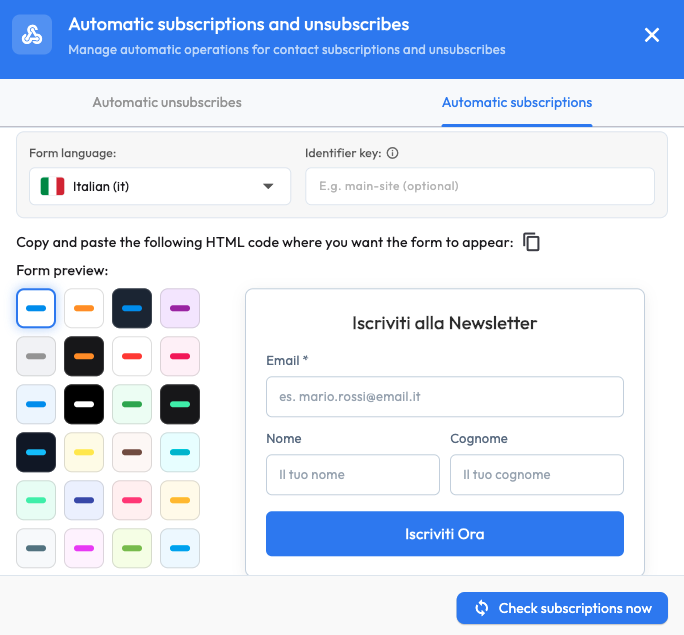
Custom Website Subscription Forms in Minutes
Pick your language, select styling options, copy the generated code snippet, and paste it into any web page or CMS (WordPress, Webflow, custom HTML).
- Multi-language UI: Form labels and validation messages in multiple languages.
- Multiple visual styles: Modern light and dark presets designed to match your brand palette.
- Real-time interactive preview: Inspect layout before deployment.
- One-click copy: Standard clean HTML/CSS embed snippet.
- Source routing tags: Route subscribers into specific subfolders automatically (e.g. Lead Magnet, Promo Page).
- "Check Subscriptions Now" downloads new leads straight into your desktop SQLite database.
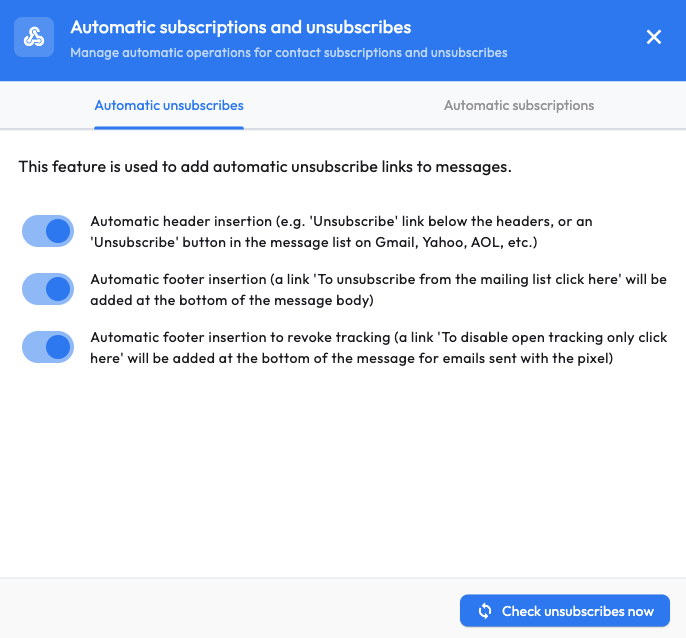
Transparent One-Click Unsubscribe in Every Email
Providing a clear, friction-free opt-out mechanism is both an anti-spam legal obligation (GDPR, CAN-SPAM) and a critical factor in maintaining primary inbox placement:
- RFC-8058 Header: Google Mail and Yahoo Mail display the native "Unsubscribe" button alongside your sender name.
- Email Footer Link: Automatic "Click here to unsubscribe" footer text appended to every outbound campaign.
- Tracking-Only Opt-Out: Optional setting allowing readers to opt out of pixel read tracking while remaining subscribed.
- Subscribers who opt out are instantly flagged and omitted from future campaign dispatches.
POP3 Bounce Detection: Dead Inboxes Are Filtered Out
When an email cannot be delivered, the destination server returns an error bounce. Newsletter Studio connects to your return mailbox and processes them automatically.
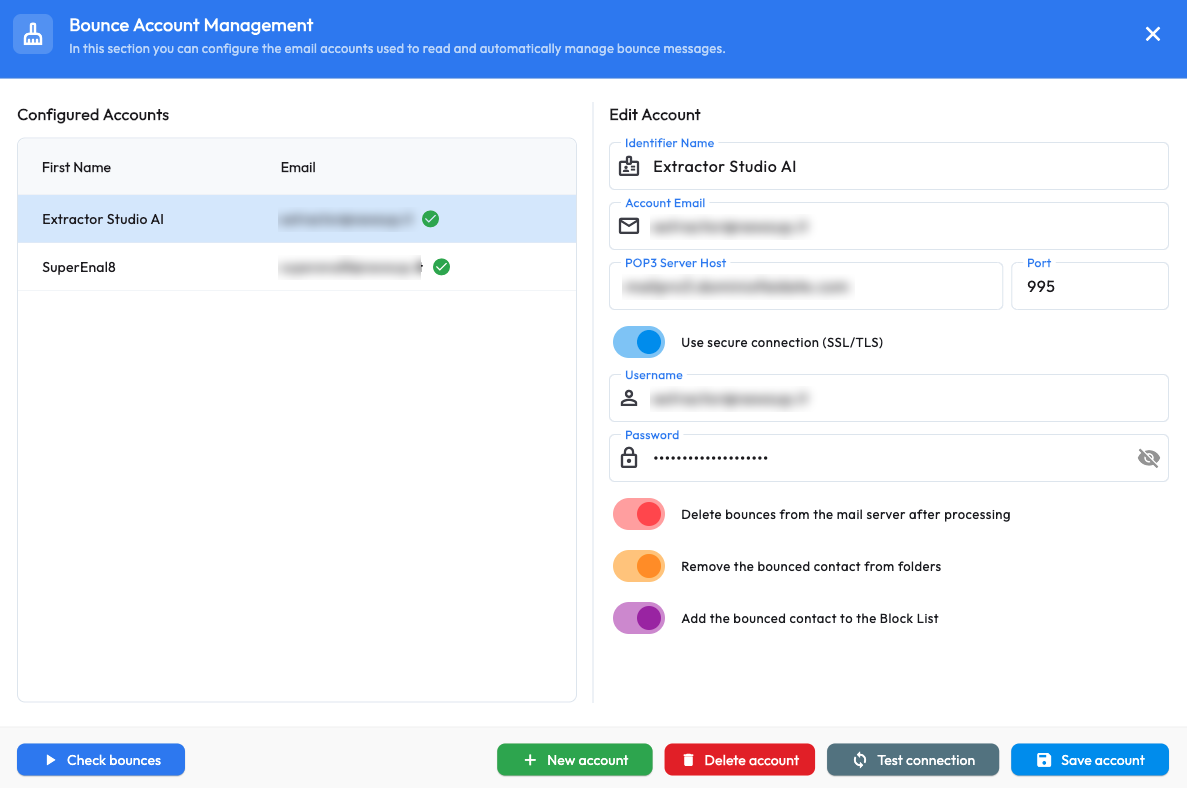
Connect Your Return Mailbox
Enter credentials for your designated return email address (POP3 protocol). Configure multiple return accounts and test connectivity with "Test Connection" before saving.
Automated post-processing options:
- Delete processed bounce emails from the remote mail server;
- Remove undeliverable contacts from active marketing folders;
- Quarantine bounced recipients into the permanent Block List.
Run audits manually on demand or let the background timer run scans automatically.
